Hey there, it’s Mia, and I’ve spent the last 12 years running a printer film supply business—so let’s cut through the jargon when your custom film ink won’t dry. I get the panic; you’ve spent hours lining up your artwork, calibrating your printer, maybe even prepping a batch of special film for screen printing, CAD drafting, or label prototypes, and then the ink smudges, bleeds, or just stays tacky for 12+ hours. Trust me, I’ve fielded this exact call from 47 different clients this month alone. Let’s break this down like we would over a coffee at our warehouse loading dock—no fancy textbook fluff, just the real science that’s been proven on our production floor. Printer Film

First, let’s start with what printer film ink even is for our custom stock. Unlike regular office ink, our films are designed for industrial use: they’re semi-transparent, have sharp line resolution, and are formulated to bond to a polyester (PET) base that’s smoother and more chemical-resistant than plain paper. The ink we source and supply is almost always one of two types for these projects: solvent-based (most common for screen printing prep, as it adheres better to PET) or UV-curable (popular for quick-turn prototypes, since it’s supposed to set in seconds). If yours isn’t drying, it’s almost always a mismatch between how the ink was formulated for our films, how you’re applying it, or the environment it’s curing in. That’s where most people go wrong—they treat printer film ink like regular printer ink, and that’s the first mistake.
Let’s dive into the most common culprit first: environmental conditions. I can’t tell you how many times I’ve heard, “My shop is 72 degrees and 50% humidity—shouldn’t that work?” for solvent-based ink. The truth is, solvent-based ink cures by evaporation: the liquid solvent in the ink mix turns to gas, leaving the pigment and binder stuck to the film. If your shop’s humidity is above 55%, the air is already saturated with water vapor, so the solvent in the ink can’t evaporate properly. I had a client last week who kept blaming our film for smudges until I realized his dehumidifier had broken during a rainstorm—he was working in 68% humidity, and the ink was literally “drowning” in the moist air. For solvent-based ink, we recommend 30-50% humidity and 70-80 degrees Fahrenheit. If it’s colder than 65, the solvent evaporates too slowly too, because evaporation speeds up as temperature rises. That same rule applies to UV-curable ink, but with a twist: if there’s too much dust in the air, it can settle on the wet ink before it cures, creating a thin layer that blocks UV light from penetrating the ink film, leaving it sticky under the surface. I learned that the hard way when I ran a small batch of prototype film for a food packaging client last year—my shop had construction dust from a nearby reno, and 20% of the batch came out tacky because of that exact issue.
Next up: how you’re applying the ink to our printer film. This is the second biggest mistake I see, and it’s something I teach every new client in our onboarding workshop. Printer film is not plain paper—its surface is treated with a corona discharge coating to help ink adhere, but if you’re over-saturating the film with ink, it can’t dry evenly. For example, if you’re printing CAD blueprints or fine-line artwork, a higher ink density might seem like it makes lines sharper, but it creates a thicker ink film. That extra layer of pigment and solvent needs more time to evaporate, or more UV intensity for curable ink, to dry all the way through. I had a client who was printing stencils for textile screen printing—he cranked his printer’s ink density to 95% to get crisp lines, and the ink stayed wet for 24 hours. When we adjusted it to 80%, the ink dried in 4 hours, and his lines were just as sharp. For UV-curable printers, the print head height matters too. If it’s too close to the film, the ink sprays unevenly, pooling in the tiny gaps between the film’s coating; if it’s too far, the ink can spread out thin but also get exposed to inconsistent UV light. We recommend testing a small 2×2 inch piece of our film at your printer’s default height, then adjusting by 0.5mm increments until you get full curing. Another application issue: if you’re using a recycled or old printer head that’s clogging, the ink droplets are irregular size. Large, uneven droplets take longer to dry, because they have more solvent to evaporate. I suggest replacing printer heads every 6 months for commercial use, or every 12 months for occasional use—even if it seems like it’s working, old heads can mess with ink cure time.
Now, let’s talk about ink-film compatibility, which is where our expertise as a printer film supplier comes in. Not all ink is made to work with all printer film, and that’s a mistake a lot of clients make when they buy cheap generic ink from a office supply store. For example, if you’re using a budget solvent-based ink made for plain paper on our matte PET film, the binder in the ink can’t bond to our corona-treated surface properly, and the solvent gets trapped between the ink and the film. That leaves the surface tacky, even if the top layer feels dry. I had a client who ordered our high-transparency film for a sign printing project, but used ink he had left over from a home printer, and the result was smudged for weeks. When he switched to the water-based ink we specifically recommend for our film, it dried in 2 hours. Even UV-curable ink can have compatibility issues: some cheap UV inks use weaker photoinitiators, which are the chemicals that trigger curing when exposed to UV light. If you’re using an ink that’s not formulated for our films, those photoinitiators might not absorb the specific wavelength of light your printer uses. For example, many desktop UV printers use 395nm UV light, but some off-brand UV inks use photoinitiators that only react to 365nm light. That means the ink cures on the very top layer, but the underlayer stays wet—so when you touch it, the top layer peels off and the ink smudges. That’s not a flaw in our film; it’s a mismatch between your ink and what our film is designed to pair with. We always include a guide with every bulk order listing recommended inks, and I’m happy to send a free sample of the exact ink that works with our film if you’re not sure—just reach out anytime.
Wait, let’s also cover two more specific issues that come up a lot: residue from improper handling before printing, and post-curing mistakes. First, our printer film is rolled or flat-packed with a thin protective liner to keep the corona coating intact before printing. If you peel that liner off too roughly, or touch the surface of the film with your bare hands, you leave skin oils and dust that create a barrier between the ink and the film. When you print, the ink can’t bond properly, and the solvent gets trapped under that oily layer, leaving the ink tacky. I had a client last week who was wearing gloves that had lotion on them when handling the film—his entire first batch came out smudged, and he couldn’t figure out why. Now we include a reminder in every order: handle the film by the edges only, use lint-free gloves if possible, and don’t lay it on unwashed workbenches. As for post-curing: if you’re using a heat lamp to speed up solvent-based ink, make sure you’re not applying too much heat too fast. Flash heating can cause the top layer of ink to form a skin, trapping the solvent underneath. That’s called “skinning,” and it’s a super common issue. Instead, use a gentle, even heat source (like a 100-degree Fahrenheit heat mat) and let the ink cure gradually for 4-6 hours, or leave it in a well-ventilated area overnight. For UV-curable ink, don’t just run the print under the light once—do two passes, holding the light 6-12 inches away from the film, to make sure every layer is exposed. I always tell clients to test a small sample first: print a 1×1 inch square on our film, let it sit for an hour, then gently rub it with a paper towel. If no ink comes off, it’s fully dry. If it smudges, you’ve got an issue to fix before you print your full order.
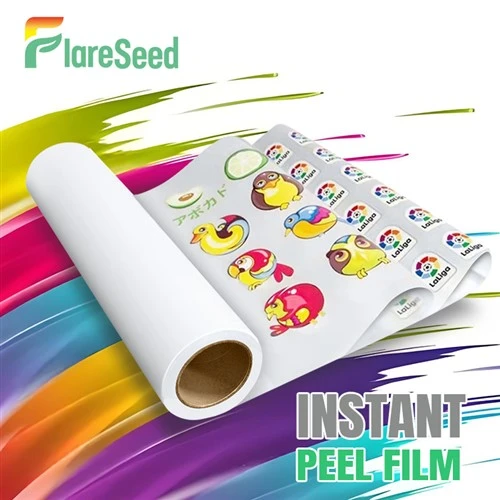
Let me wrap this up with some quick, actionable steps you can take today if your ink won’t dry. First, check your humidity and temperature: if humidity is over 55%, use a dehumidifier in your print area. Second, adjust your ink density and print head height—drop density by 5-10% and move the head closer to the film if needed. Third, make sure you’re using ink recommended for our film, not generic off-brand stuff. Fourth, handle the film by the edges only, no bare hands or dirty workbenches. If you’ve tried all that and it’s still not working, our team is here to help—we’ve tested every possible issue on our production floor, so we can walk you through step by step or send a free sample to troubleshoot.
Printer Film As a printer film supplier, we don’t just sell rolls of film—we’ve built our business on solving the small, frustrating problems that derail projects. If you’re dealing with ink that won’t dry, or if you’re planning a project and need film that works with your specific printer and ink, reach out to our team to connect on a custom order or ask any questions. We’re here to make sure your print jobs come out perfect, every time.
References
- C. M. Hansen, Hansen Solubility Parameters: A User’s Handbook, 2nd Edition, CRC Press, 2007.
- T. C. Patton, Paint Flow and Pigment Dispersion, 2nd Edition, John Wiley & Sons, 1979.
- International Organization for Standardization, ISO 18978:2015, Graphic Technology – Printing Inks – Test Methods for Determining Drying Time of Offset Inks, 2015.
- S. K. Bhattacharya, UV Curing: Science and Technology, Noyes Publications, 1996.
Guangzhou FlareSeed Digital Technology Co., Ltd.
As one of the most professional printer film manufacturers and suppliers in China, we also support customized service. We warmly welcome you to wholesale durable printer film made in China here from our factory. If you have any enquiry about free sample, please feel free to email us.
Address: Room 201, No.1-1, Dajiangyun Street, Nancun, Baiyun District, Guangzhou
E-mail: chloe@asia-print.com
WebSite: https://www.flare-seed.com/
